Freenit Framework
Freenit is a framework for automating modern web application development. It combines three parts:
- A visual designer to speed up UI and design work
- Frontend tooling based on Svelte
- Backend tooling based on FastAPI
The goal is to automate the repetitive parts of product development so you can focus on implementation details that matter. A common workflow is to build UI in the designer, save it as .json, version that file in git, and export the result as Svelte code. The exported code is intended to be pixel-accurate and easy to reshape for your application. After that, you can connect it to backend data models and API endpoints, with reusable snippets helping on both sides of the stack.
This documentation explains the designer, frontend, backend, and snippet workflow in one place.
Bootstrap the Project
The first thing to do is create the project itself. First, make sure you have
tmux installed, as Freenit uses it to run different services (backend and
frontend, currently, but you can add more later).
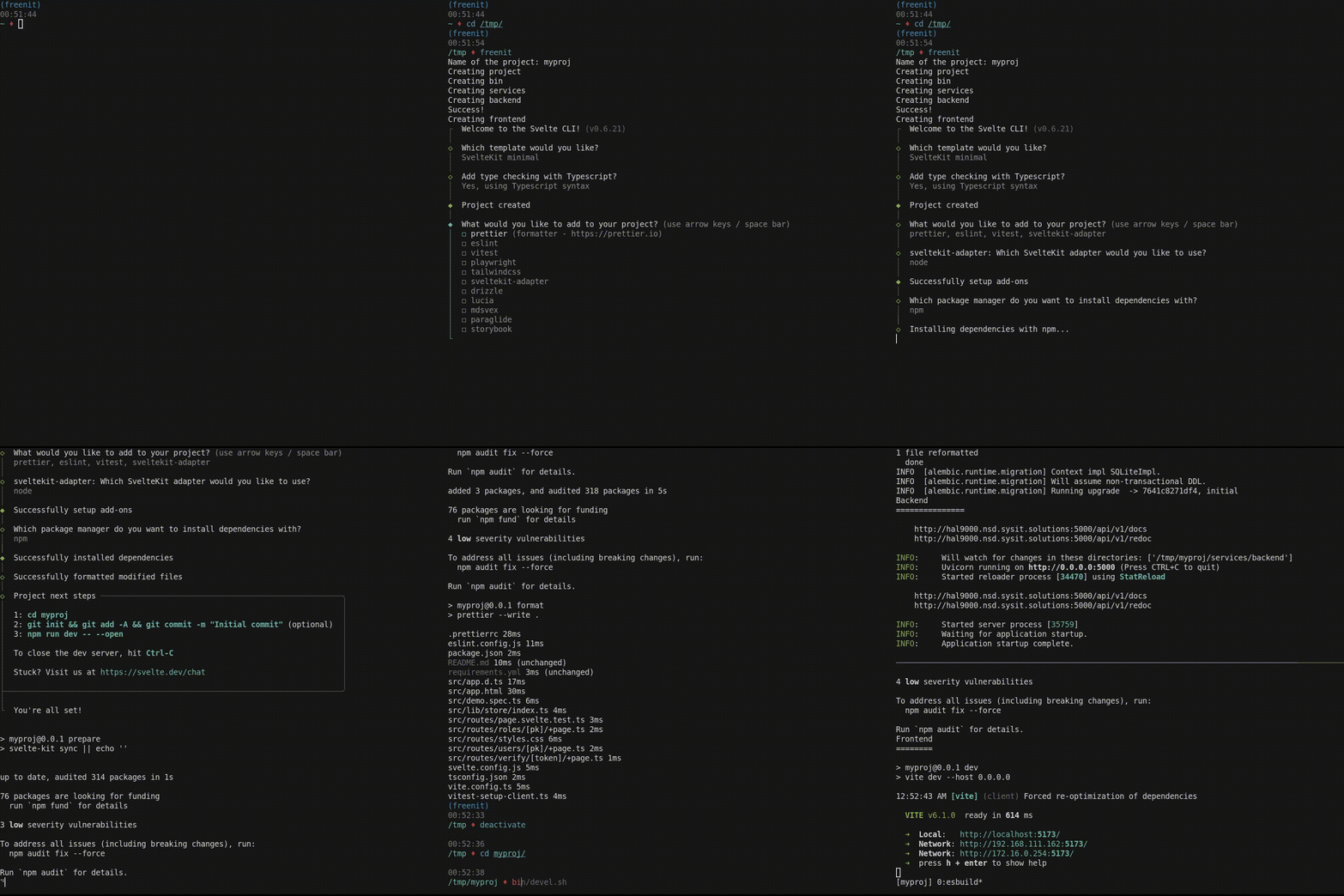
$ freenit myproj
Creating project
Creating bin
Creating services
Creating backend
Success!
Creating frontend
Which template would you like?
  SvelteKit minimal (barebones scaffolding for your new app)
Add type checking with Typescript?
  Yes, using Typescript syntax
What would you like to add to your project? (use arrow keys / space bar)
  prettier (formatter - https://prettier.io)
  eslint (linter - https://eslint.org)
  vitest (unit testing - https://vitest.dev)
  sveltekit-adapter (deployment - https://svelte.dev/docs/kit/adapters)
sveltekit-adapter: Which SvelteKit adapter would you like to use?
  node (@sveltejs/adapter-node)
Which package manager do you want to install dependencies with?
  npm
This will create the directory myproject and initialize it. Let's start the
project.
$ cd myproj
$ bin/devel.sh
At this point you'll be presented with a split screen: one for backend, one for
frontend. At that screen, you'll see URLs for both services. The interesting
one is http://localhost:5173. If you visit it, it will greet you with a
message Landing Page in src/routes/+page.svelte. That is usually the first
page you will change.